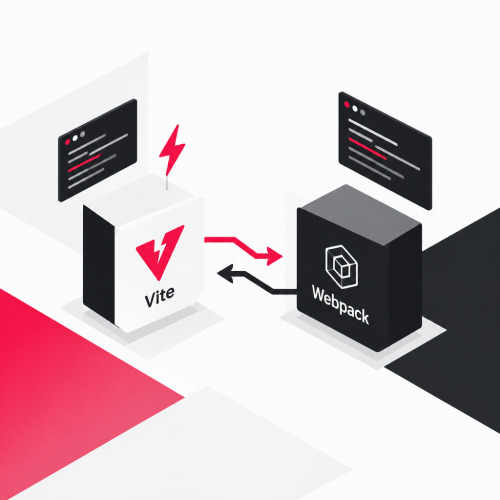
In the Vite vs Webpack comparison, there is no one right decision. It's best to start new projects with Vite. Webpack remains a stable choice for mature codebases. Since March 2026, Vite 8 uses the Rolldown bundler and builds significantly faster. We show you how to select the right build tool for your JavaScript projects.
Vite vs Webpack: What has changed recently?
In the 2025 bundler comparison, Vite still combined esbuild and Rollup. Since March 12, 2026, Vite 8 replaces both with Rolldown. This is a bundler written in Rust with the same plugin interface as Rollup. According to the Vite team, most existing Vite plugins therefore continue to work without modification. According to its benchmarks, Rolldown works 10 to 30 times faster than Rollup.
Webpack also remains relevant. The team most recently released Webpack 5.112 in October 2026. The roadmap for 2026 plans native CSS and TypeScript without loaders. This means Webpack will require fewer plugins in the future.
When is Vite the right choice?
Vite suits new projects and teams that want fast feedback. The Vite Build Tool consists of a dev server and a build command. The dev server serves your source code via native ES modules. When changes occur, Hot Module Replacement updates only the affected module. For new projects, Vite is our first choice.
In Laravel projects, Vite has replaced the Webpack-based Laravel Mix in new installations. Nuxt also relies on Vite according to the Vite documentation. For Vue and React, there are ready-made project templates.
When should you stay with Webpack?
Stay with Webpack if your project runs stably and a migration brings no clear benefit. This applies especially to setups with many loaders or with Module Federation. There you combine multiple separate builds into one application. The Webpack documentation names micro-frontends as a typical use case. In such cases, stability beats speed.
Bundlers are among your dependencies. Our article on the dependency trap describes how to identify such risks early. According to the roadmap, Webpack is maintained predominantly by volunteers. If there is a larger legacy burden behind the build setup, it's worth looking at how to modernize legacy software.
How complex is the Webpack configuration?
A Webpack configuration consists of entry point, output, loaders, and plugins. Since version 4, Webpack doesn't need a configuration file for simple projects. The more loaders and plugins you use, the more configuration you maintain. Vite, on the other hand, comes with sensible defaults. In Laravel projects, you only tell the plugin your entry files.
How do you make the decision in the team?
Your project decides, not a benchmark. Check the age of the codebase, the plugin requirements, and the team's knowledge. Then build a proof of concept in a separate branch. Measure build time and bundle size for both tools there.
Sources & further reading
- Vite-Team (2026): Vite 8.0 is out! Online verfügbar unter: https://vite.dev/blog/announcing-vite8
- Vite-Team (o. J.): Getting Started. Online verfügbar unter: https://vite.dev/guide/
- Vite-Team (o. J.): Why Vite. Online verfügbar unter: https://vite.dev/guide/why
- webpack Technical Steering Committee (2026): Roadmap 2026. Online verfügbar unter: https://webpack.js.org/blog/2026-02-04-roadmap-2026/
- webpack-Team (2026): Webpack 5.112. Online verfügbar unter: https://webpack.js.org/blog/2026-10-13-webpack-5-112/
- webpack-Team (o. J.): Concepts. Online verfügbar unter: https://webpack.js.org/concepts/
- webpack-Team (o. J.): Module Federation. Online verfügbar unter: https://webpack.js.org/concepts/module-federation/
- Laravel (o. J.): Asset Bundling (Vite). Online verfügbar unter: https://laravel.com/docs/vite
Conclusion
Vite is the first choice for new projects. Webpack remains a reliable foundation for mature codebases with complex loader chains or Module Federation. A small test run quickly shows which tool fits your project. Would you like to review or further develop your build setup? Schedule a free initial consultation with us.